

What you need from Points
Sandbox registration is self-service. Create your sandbox merchant account directly at sandbox.papp.sa — no email request needed. After registration, you will get access to:- sandbox Public key (
points_public_key) - sandbox Private key (
points_private_key)
What stays the same in sandbox
The following remain the same as production:- request and response JSON shape
- authentication model
- endpoint paths
- webhook registration model
- order lifecycle concepts
Test phone numbers
Use these reserved sandbox numbers to validate different scenarios. Each number is mapped to a specific account state so you can reproduce the same flow consistently.
Notes:
- These numbers work in sandbox only. Do not use them in production.
- Reuse the same numbers across regression tests so order history stays traceable.
- If you need a fresh account state, contact support to reset the test identity.
Visual redemption walkthrough
Use the reference screens below when validating the in-app redemption journey in sandbox.Step 1
Verify the customer phone number using the OTP code.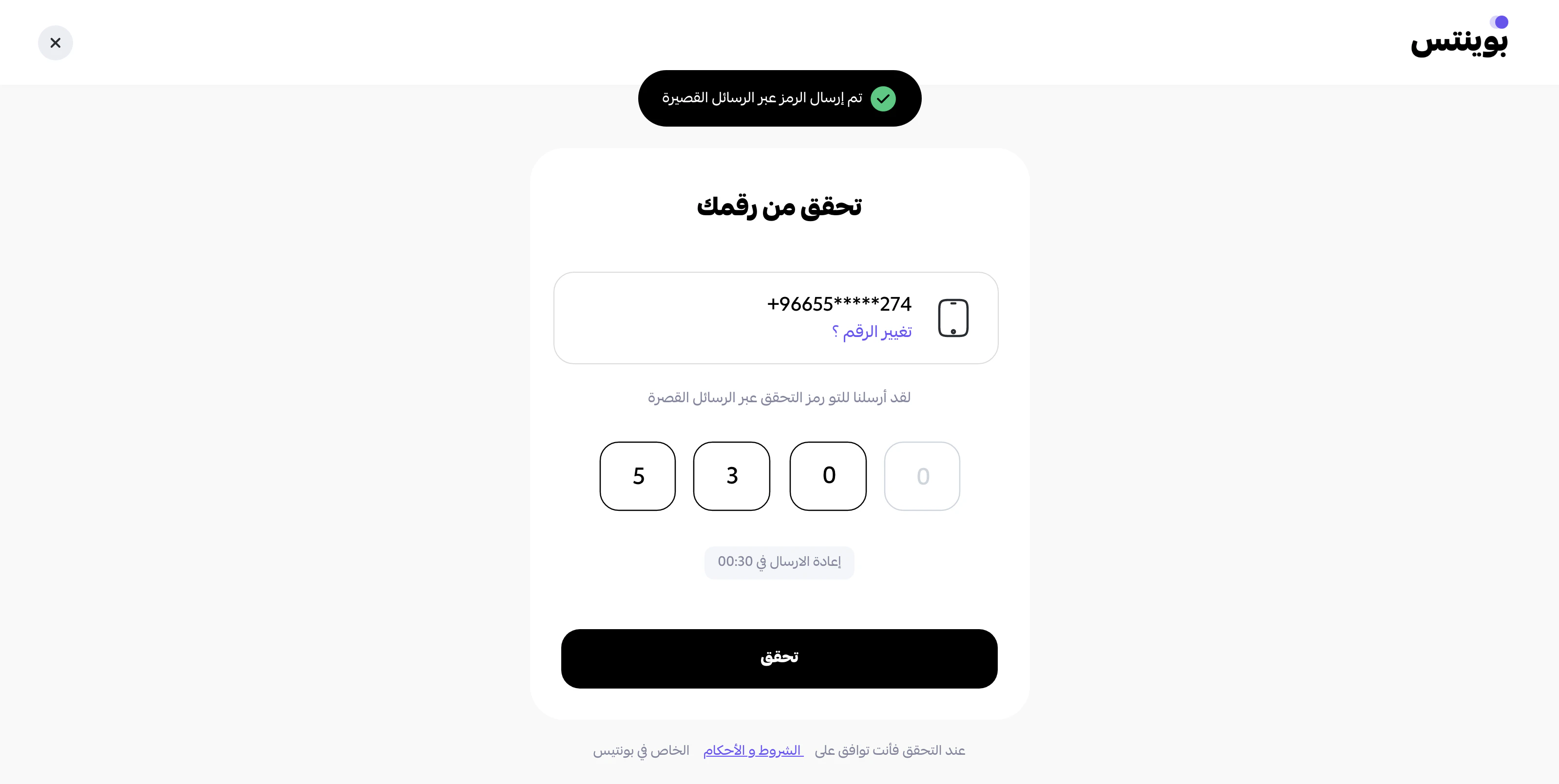
Step 2
Pay the full order value using points.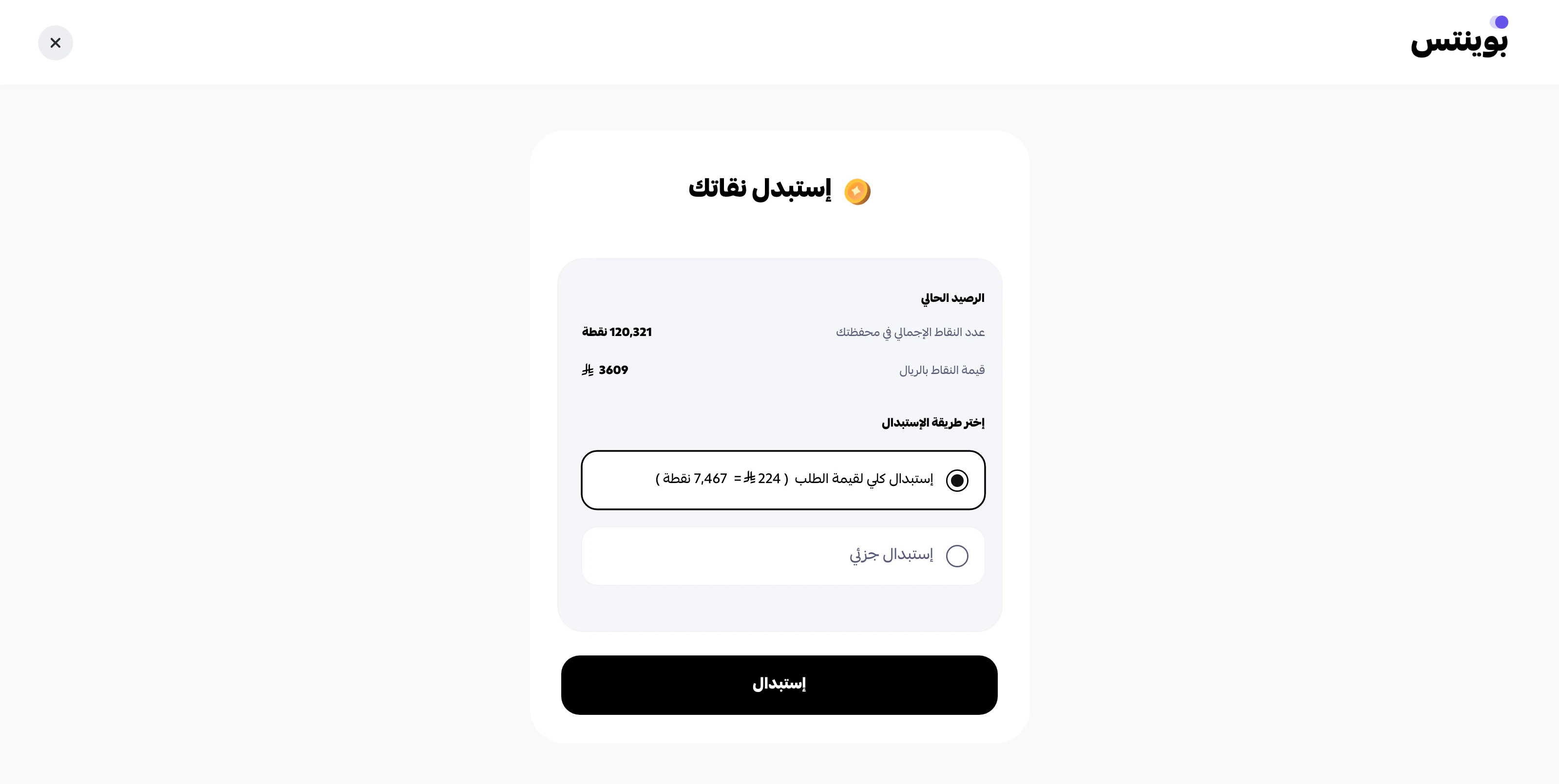
Step 3
Pay part of the order value using points, and complete the remaining amount using another payment method.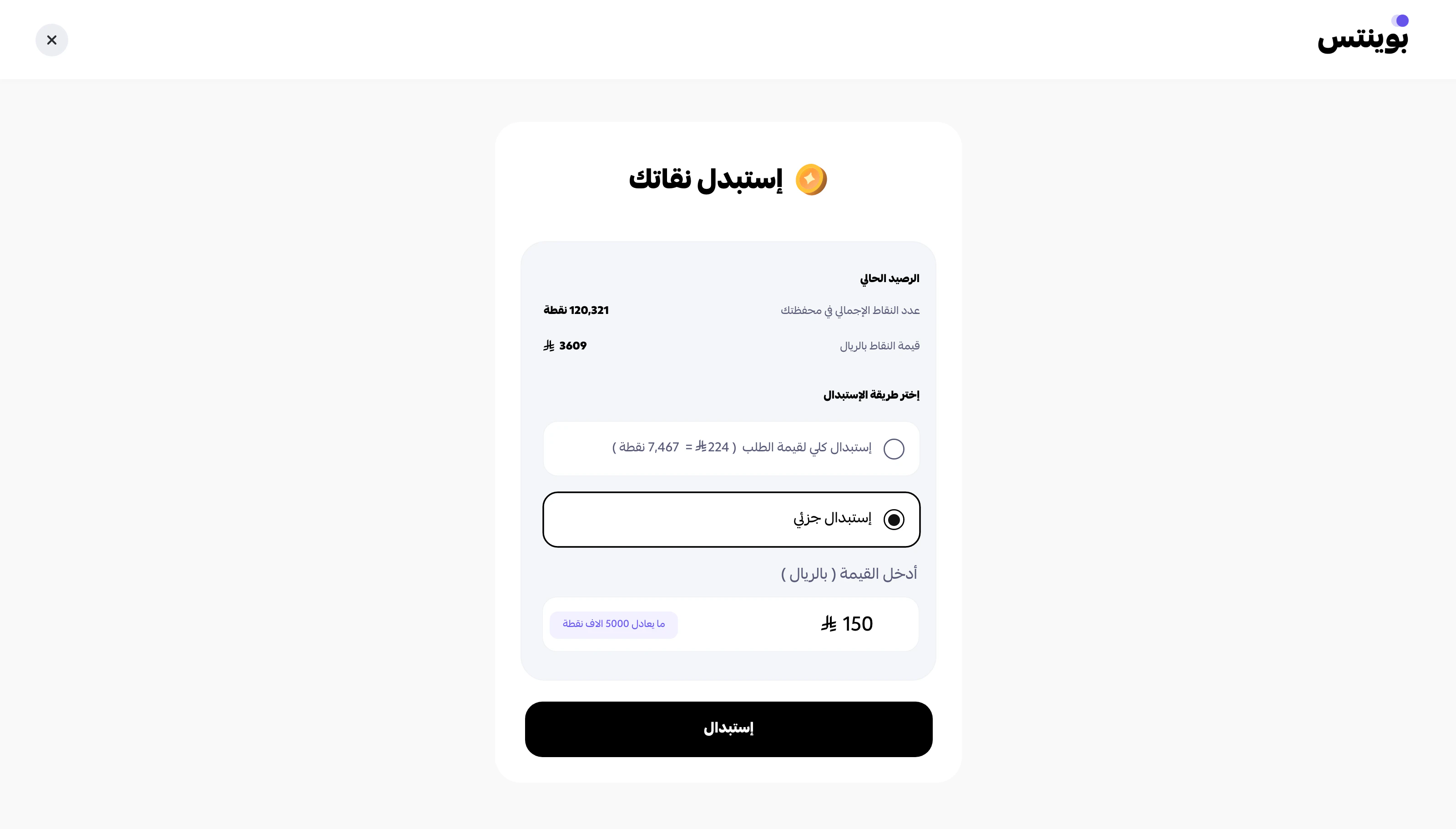
Step 4
Review the confirmation popup before completing the redemption.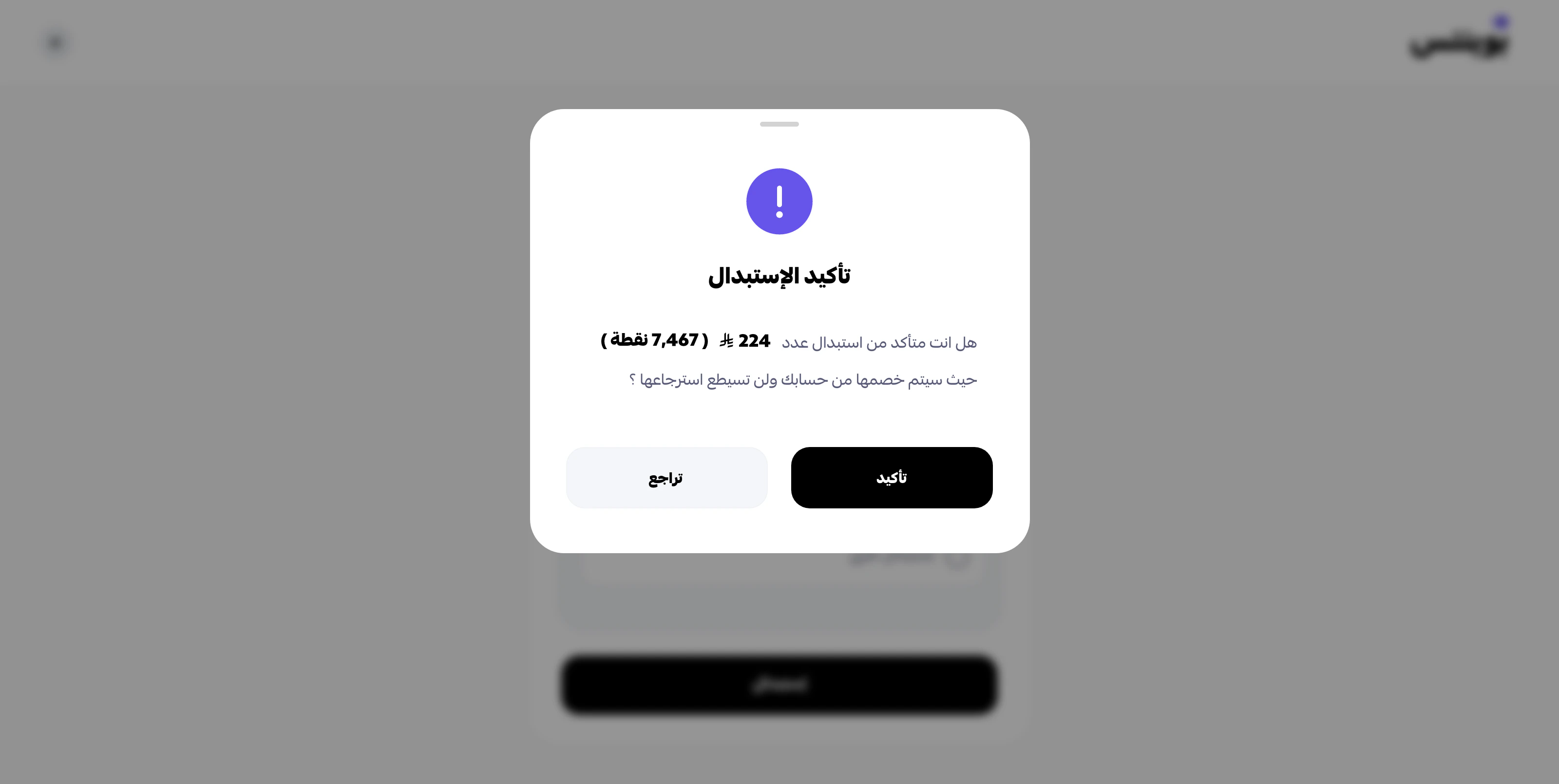
Step 5
Confirm that the redemption is completed successfully.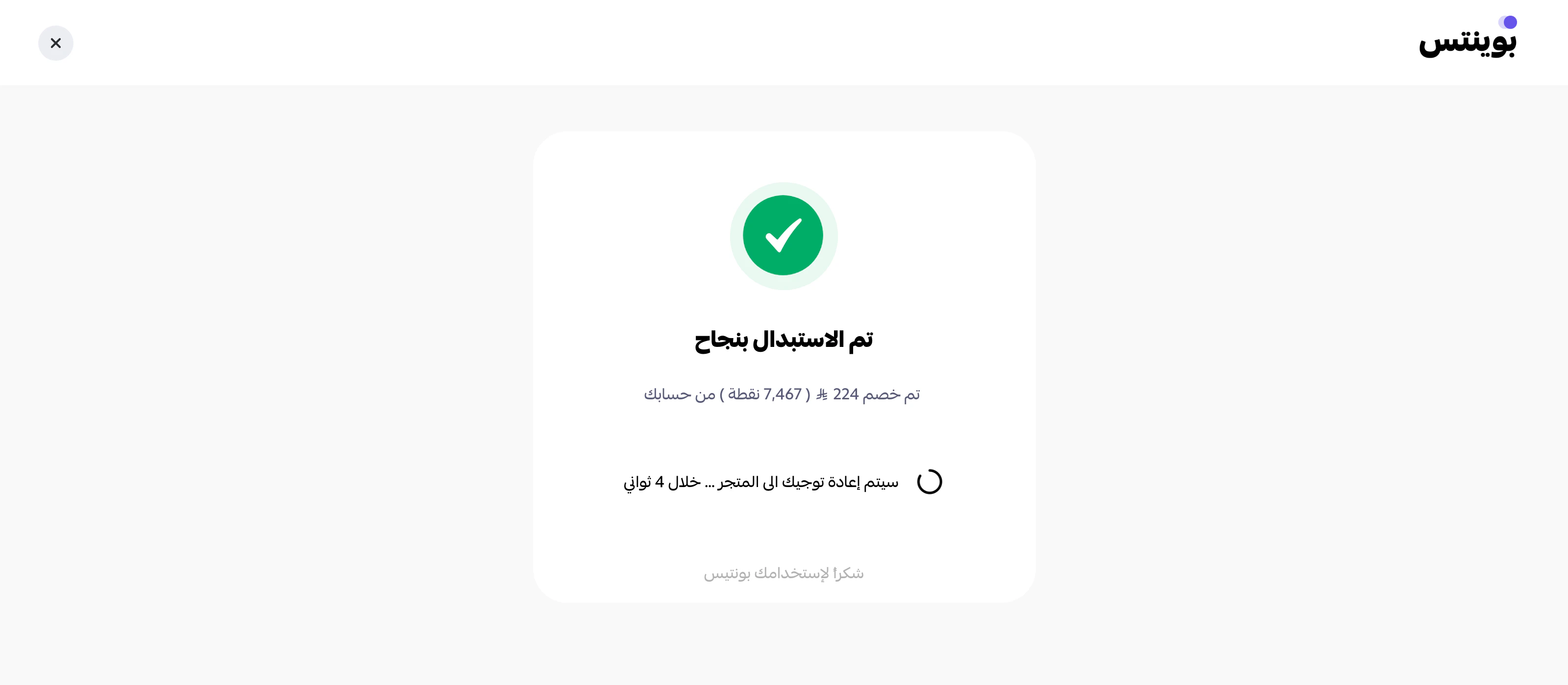
Suggested sandbox setup
Prepare these environment variables:Minimum test matrix
Before go-live, validate at least:- successful earning order
- successful checkout session creation
- successful webhook registration
approvedwebhook handlingcancelledwebhook handlingrefundedwebhook handling if refunds are part of your flow- shipping status update if you fulfil physical goods
Additional test scenarios
Beyond the minimum matrix, consider running these scenarios to cover edge cases before go-live:Order lifecycle
- Authorize then capture — full successful checkout with redemption
- Authorize then cancel before capture — abandoned cart recovery
- Capture then complete — final lifecycle transition
- Full refund after capture — verify refunded webhook handling
- Partial refund (if enabled on your merchant) — verify adjusted refund amount
Earning scenarios
- Earn-only order without redemption — customer pays full amount, earns points
- Customer with existing balance places an earning-only order — verify balance increment
Redemption scenarios
- Redeem exact available balance — zero remaining balance after order
- Attempt to redeem more than available — expect validation error
- Redeem with insufficient cart amount — expect minimum-order-value error
Authentication & validation
- Invalid API key — expect HTTP 400
- Missing required fields in request body — expect validation error
- Malformed phone number — expect normalization error
- Request without Public key where required — expect auth error
Webhooks
- Register a webhook that returns 500 — verify retry behavior
- Register a webhook with invalid signature handling — verify delivery logs
- Unregister a webhook mid-flow — verify no further delivery attempts
Staging webhook recommendation
Register a staging webhook URL against sandbox, not your local machine, for repeated tests. Use tunnelling only for short manual debugging sessions.See also
- API keys — environment-by-environment credential handling.
- Go-live checklist — what to verify before switching to production keys.